Feature
Products
today
Sales › Recurring revenue: see your MRR, and why it changed
A new Recurring revenue page under Sales shows the monthly revenue from your subscriptions and payment plans, and what made it go up or down. Click any number to see the customers behind it.
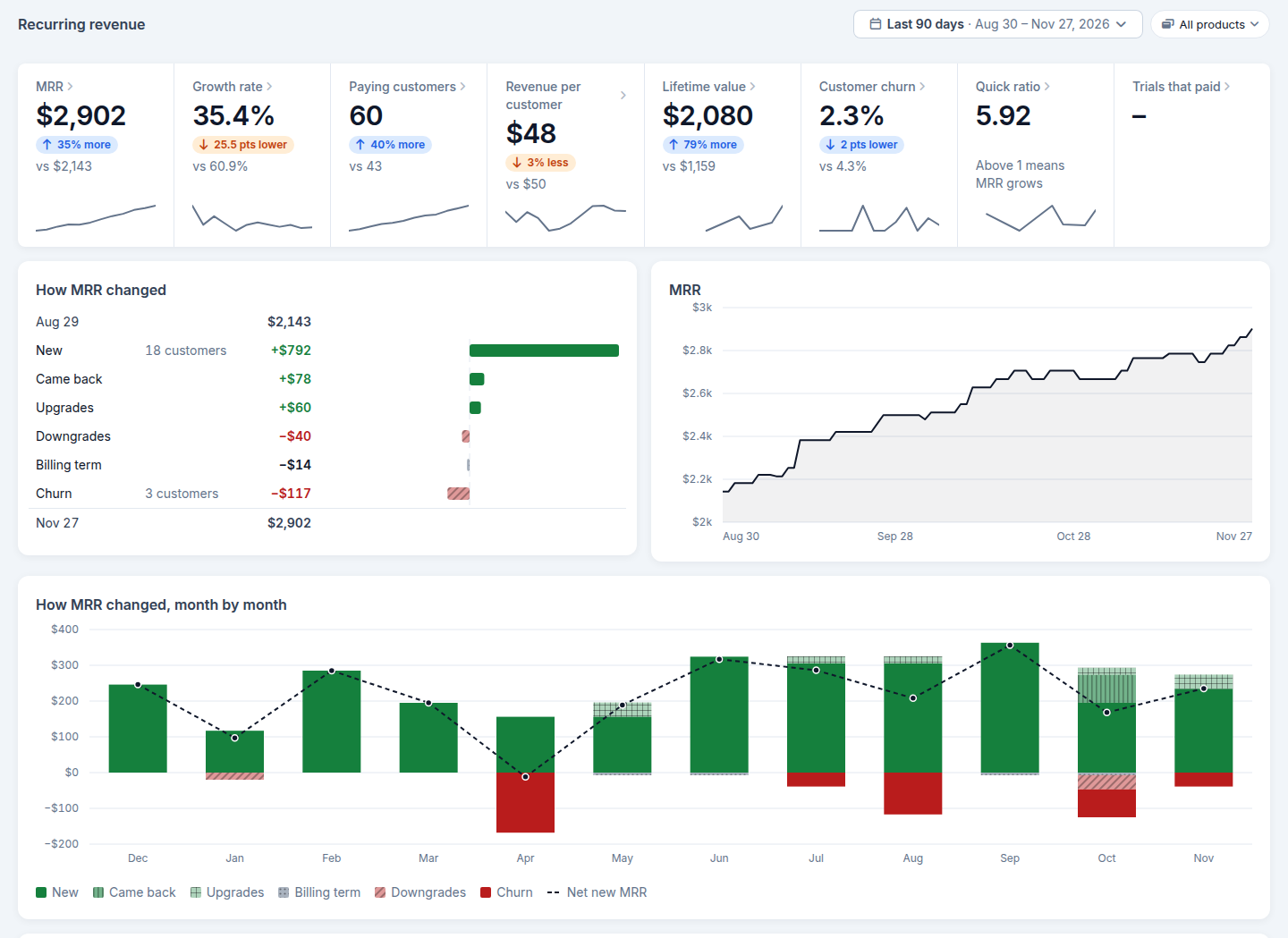
At the top you see your MRR, growth rate, paying customers, revenue per customer, lifetime value, customer churn, quick ratio and trials that paid, each with its last 12 months. Under them, How MRR changed shows your MRR at the start of the period, then new customers, customers who came back, upgrades, downgrades and churn, and your MRR at the end.
- Pick any period with the date picker, and one or more products with the product filter.
- A customer who moves to a longer billing term (for example monthly to yearly) shows as Billing term, not as a downgrade. They did not buy less.
- The Recurring revenue widget on your Dashboard now shows the same MRR as this page.
Open Recurring revenue to see your numbers.