

Improvement
Admin ui
yesterday
Media picker: save your own tabs
When you pick a file, you can now keep the filter you use most as its own tab. Filter the library (for example by a label), then open the tab's ⋯ menu and choose Save as new view.
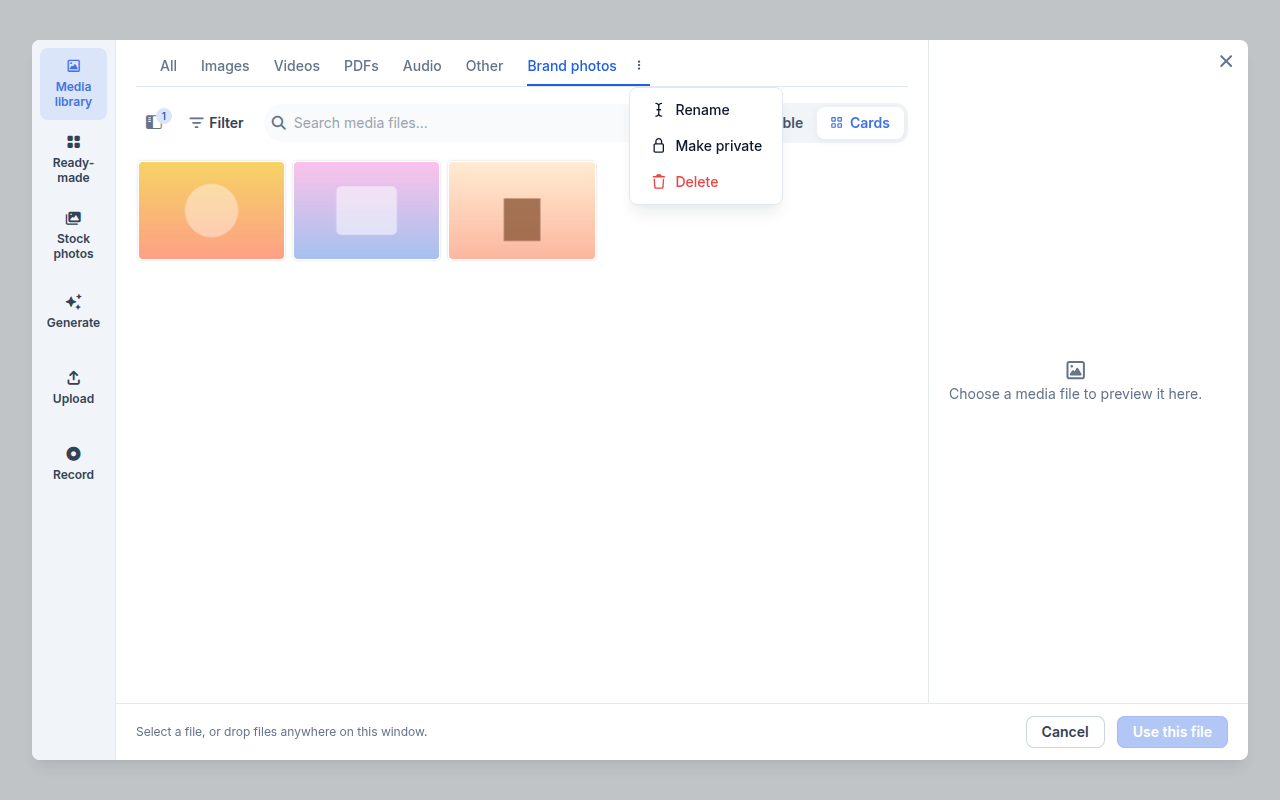
Your tabs stay in the picker for every file field. You can rename them, share them with your team or keep them to yourself, delete them, and drag the tabs into the order you like. A field that takes only images shows only the tabs that can hold images.
Try it on any file field, for example in a lesson from Courses: click Replace on its media file.
