Full (Dark UI)
Full (Light UI)
Why AI Features About Pricing
Free Trial
wWhy
aAI
fFeatures
aAbout
pPricing
Free Trial
All updates
Feature · Coaching programs · yesterday

Coaching clients: mark a session completed, or add an extra session

You can now mark a client's coaching session as completed, even when it did not happen in Simplero. Open a client in your coaching program, click ··· on a session, and pick Mark as completed.

Use it when a client joins in the middle of a package, or booked a call some other way. Completed sessions run your "Client session ended" automations, and "All sessions completed" when it was the last one. Marked one by mistake? Pick Mark as not completed, and the client can book it again.

Need to give one client a make-up call? Click Add session on their page. Only that client gets the extra session.

Open Coaching programs, then a program and a client.
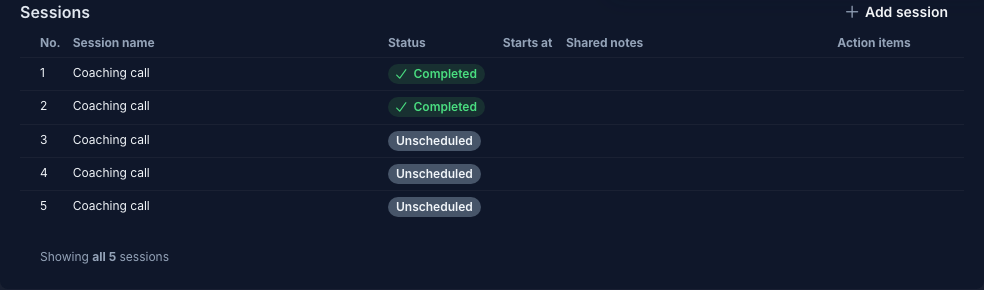
The Sessions table on a coaching client's page, with a Status column and the Add session button

Thanks for the idea on the Ideas Board.

❤️ DY
Simplero
Features Why Simplero? About Pricing
Partner
Become a Partner Work at Simplero
Get Help
Support Guides Concierge Certified Experts Implementation Workshops
Tools
Mobile app Simplero.coach AI agents
Resources
Online Course Creation Guide
Compare
Kajabi Teachable Thinkific ClickFunnels Kit (ConvertKit) Skool Lumant Mighty Networks Circle ActiveCampaign Keap/InfusionSoft WordPress
Legal
Privacy policy Terms of service Disclaimer
Copyright © 2026 Powerful Through Grace, Inc. dba Simplero · 1 Chestnut Hill Plaza ·#1139 ·Newark, DE 19713·United States
powered by