

I've just added the ability to start or stop automations with one click in an email.
Say you want to offer your customers a way to click a link to sign up to a list. Or get an auto-responder sequence. Or tag themselves as being interested in some topic.
You want to say "Click here to ..." and have it be instant without them having to then enter their name and email and phone number again.
Here's how you do it:
In the sidebar for your automation, you'll find two links, one for starting the automation and one for stopping it.
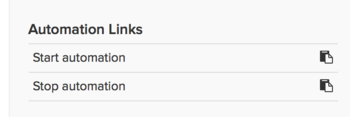
Grab one of those links, insert it into an email that you're sending out to your list, labeling the link however you want to label it.
Now when it's sent out, and they click it, the selected automation will automatically start or stop with that one click, and a simple, generic "Thank You" page will be shown.
The links will only work if they're used in a Broadcast, Auto-Response, or Library Email from Simplero. But if you do use them like that, they work like a charm.


Comments